
Once you register and pay for an ATI TEAS® exam on atitesting.com, your exam date, time, and testing institution appear in your ATI student account in three places.
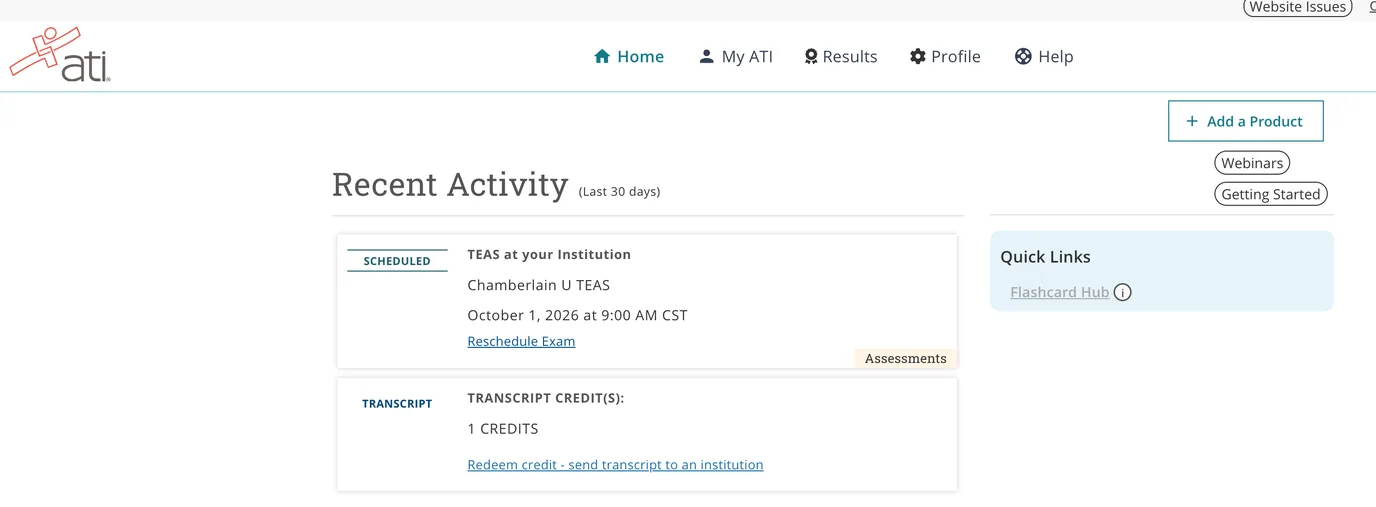
- Home page › Recent Activity. Log in at atitesting.com/login. Your scheduled exam card shows the exam type, date, time, and institution, plus a Reschedule Exam link if your exam type allows it.
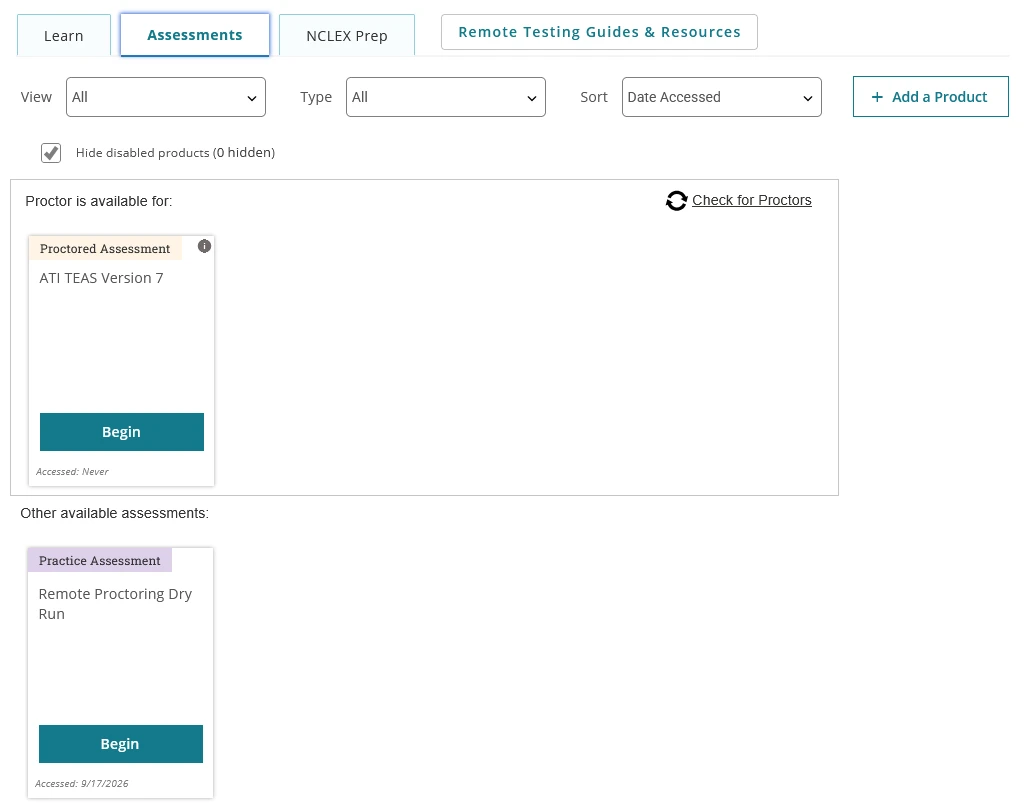
- MY ATI › Assessments tab. Your proctored exam card is listed here with the same details, and this is where you begin the exam on test day.
- Profile › My Purchases & Payments. Your order history shows each exam you purchased with its scheduled date.
Home page – your scheduled exam under Recent Activity
Assessments tab – your proctored exam card
TEAS at ATI times are in Central Time. If you live in another time zone, convert before exam day. Why is my start time in Central Time?
Frequently asked questions
I registered through my school, not on atitesting.com. Where is my date?
If your school handled registration and payment, your exam details come from the school, and the exam card may not appear in your account until your school loads it or sends you an Assessment ID. Contact your school if you cannot find your date.
I registered for TEAS at PSI. Where is my appointment?
Your PSI appointment date and location are in the confirmation email from PSI. You can also open your TEAS Proctored by PSI card and click Manage Exam to view it on the PSI site. Scheduling a TEAS at PSI exam
Can I change my date?
Exams scheduled on atitesting.com can be rescheduled through your account for a fee, at least 48 hours before the exam. Rescheduling policy