
You pay for a TEAS at PSI exam on atitesting.com, then schedule your test date and location with PSI. As soon as the TEAS Proctored by PSI card appears in your ATI student account, you can schedule. There are two ways to get to PSI’s scheduling page.
Option 1: From your ATI student account
- Log in at atitesting.com/login.
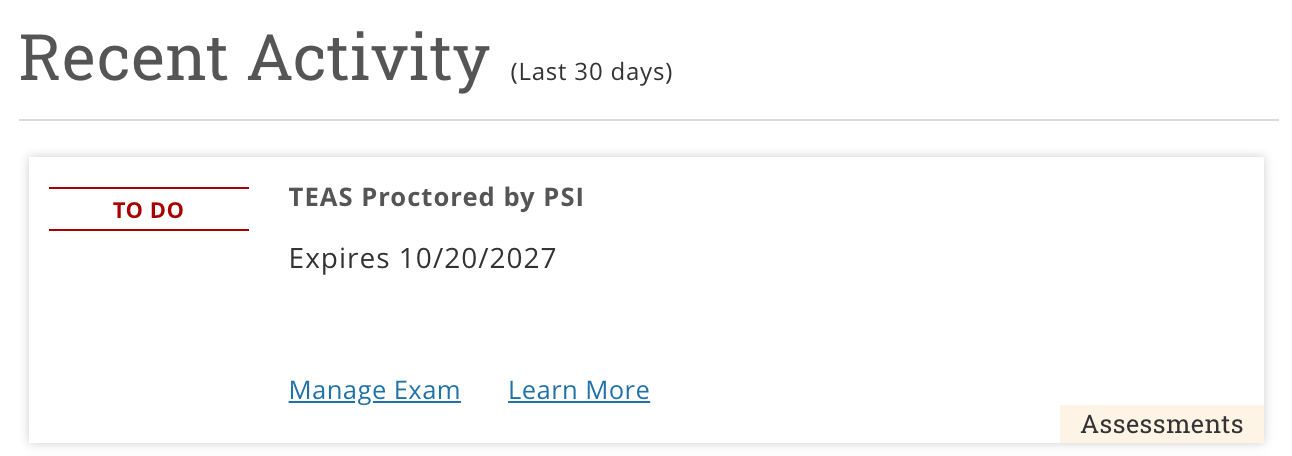
- Find your TEAS Proctored by PSI card under Recent Activity on the home page or on the MY ATI › Assessments tab. The card shows the date your purchase expires.
- Click Manage Exam. On the PSI site, open Overview › Available Tests, click the TEAS listing, and under Test Format choose Onsite (Test Center) or Online Proctored (Live), then a date and time. PSI holds your slot for 30 minutes while you confirm; there is no second charge. Step-by-step with screenshots
TEAS Proctored by PSI card – Manage Exam
Option 2: From your ATI receipt
The receipt email you receive from ATI after paying the TEAS at PSI exam fee includes a link to schedule with PSI.

Note: The name on your PSI appointment must exactly match the name on your government-issued photo ID, or you will not be admitted. Approved ID list
Frequently asked questions
Can I take TEAS at PSI remotely?
Yes. When you schedule with PSI you can choose a testing center or PSI’s online proctored exam at home, at the same price. Not every school accepts a remote PSI exam, so check with your school before you choose. PSI runs the remote exam and its proctoring; ATI is only involved in the purchase and your transcript. The remote exam has strict computer requirements (a 64-bit version of Windows 10 or 11, or macOS 14 or later; at least 8 GB of memory; a webcam; no VPN; no phones, tablets, or Chromebooks) and uses PSI’s Secure Browser, which needs administrator rights to install. Run PSI’s system compatibility check before you choose remote, and see technical issues with a TEAS at PSI remote exam.
How soon after my purchase can I schedule?
Immediately. Once the TEAS Proctored by PSI card is in your ATI student account, you can schedule. If the card has not appeared, sign out and back in; if it is still missing, contact ATI Customer Support at 1-800-667-7531.
Where are PSI testing locations for the TEAS?
Use PSI’s test center locator to find the closest PSI testing center offering the ATI TEAS® and see open dates. Popular locations can fill up, so check availability before you purchase and have an alternate location or date in mind.
How long do I have to take the exam?
A TEAS at PSI exam must be taken within one year of the purchase date. ATI TEAS registrations are not refundable, except for a documented emergency.
How do I reschedule?
Through PSI, at least two days before your test date: click Manage Exam on your TEAS Proctored by PSI card or call PSI at 833-537-1330. Rescheduling a TEAS at PSI exam
I need testing accommodations.
Submit PSI’s accommodation request with your documentation before you schedule. How to request an accommodation for a TEAS at PSI exam
When will I get my score?
PSI sends results to ATI, so your score can take up to 48 hours to post to your ATI account. Your transcript credit is available once the score posts.