
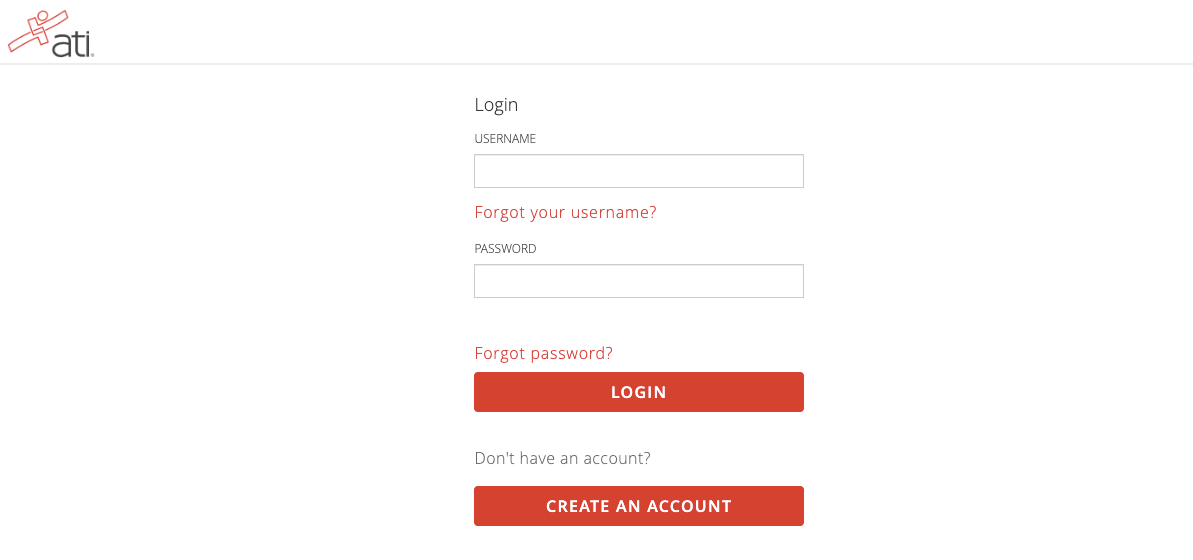
Sign in to your ATI student account at atitesting.com/login with your ATI username and password. The same username and password also sign you in to the ATI TEAS® app.
ATI student login page
Can’t sign in?
- Forgot your username or password: click Forgot your username? or Forgot password? on the login page, or go to student.atitesting.com/ResetPassword. How to reset your ATI username or password
- Account locked: reset your password, then open a new browser tab and sign in again. Why can’t I log in?
- Account inactive or deactivated: ATI Customer Support can reactivate it. How to reactivate an inactive ATI account
- No account yet: click Create an Account on the login page. Enter your first and last name exactly as they appear on your photo ID. How to create an ATI account
Do not create a second account. Your exam registrations, results, and TEAS prep stay with your original account. If you cannot get into it, reset your password or call ATI Customer Support.
After you sign in: where things are
- Home: Recent Activity, including your exam card.
- My ATI › Assessments: your proctored exam, the Dry Run, and practice tests.
- My ATI › Learn: SmartPrep and the Study Guide eBook. How to access your ATI TEAS Prep
- Results: your scores and Send Transcript.
- Profile: your name, email, password, and institution. How to update your ATI account
Frequently asked questions
Is the ATI TEAS app the same login?
Yes. Use the same ATI username and password. How to download and access the ATI TEAS app
Do I need my login on exam day?
Yes, for every exam format. For an in-person exam you sign in on the testing computer, so know your username and password before you arrive. Students who cannot sign in cannot test.
I signed in but I don’t see my exam.
Check Recent Activity on the Home page and the My ATI › Assessments tab. Where can I find my TEAS test date?
Still can’t get in? Call ATI Customer Support at 1-800-667-7531 (Monday–Friday 7 a.m.–7 p.m., Saturday 8 a.m.–5 p.m. CT).