
Most TEAS at ATI students never need their Assessment ID: the exam card loads into your account automatically and appears on the MY ATI › Assessments tab. The Assessment ID in your ATI registration email (sent again about 24 hours before your exam) is only a backup for adding the card yourself if it is missing. It is unique to your proctored TEAS at ATI exam.
How to add your exam with the Assessment ID
- Sign in to your ATI student account.
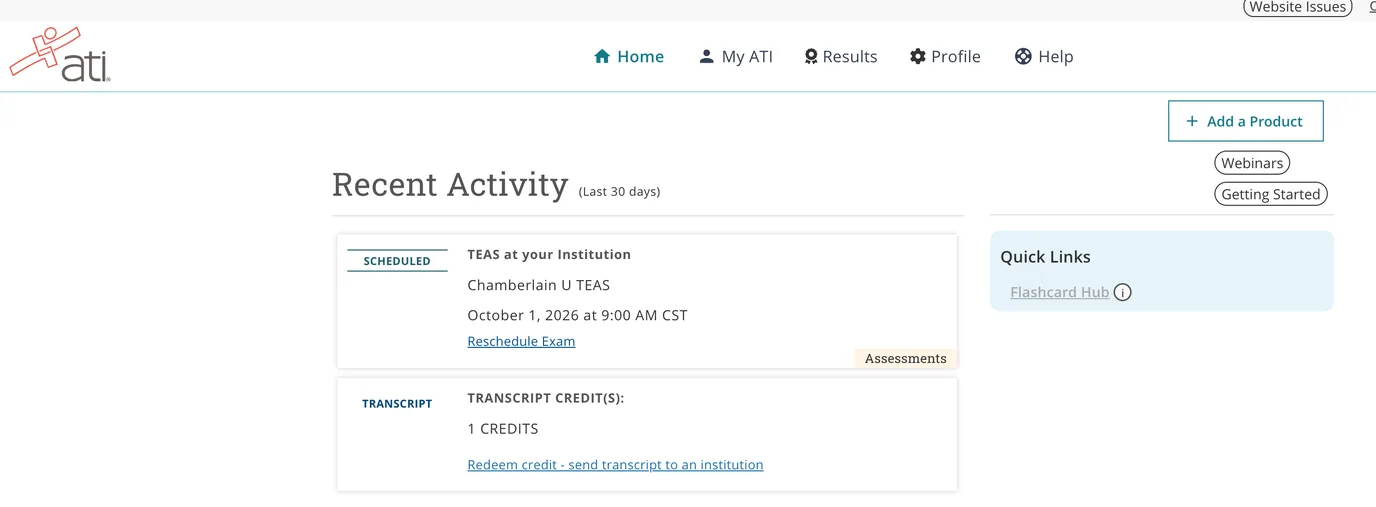
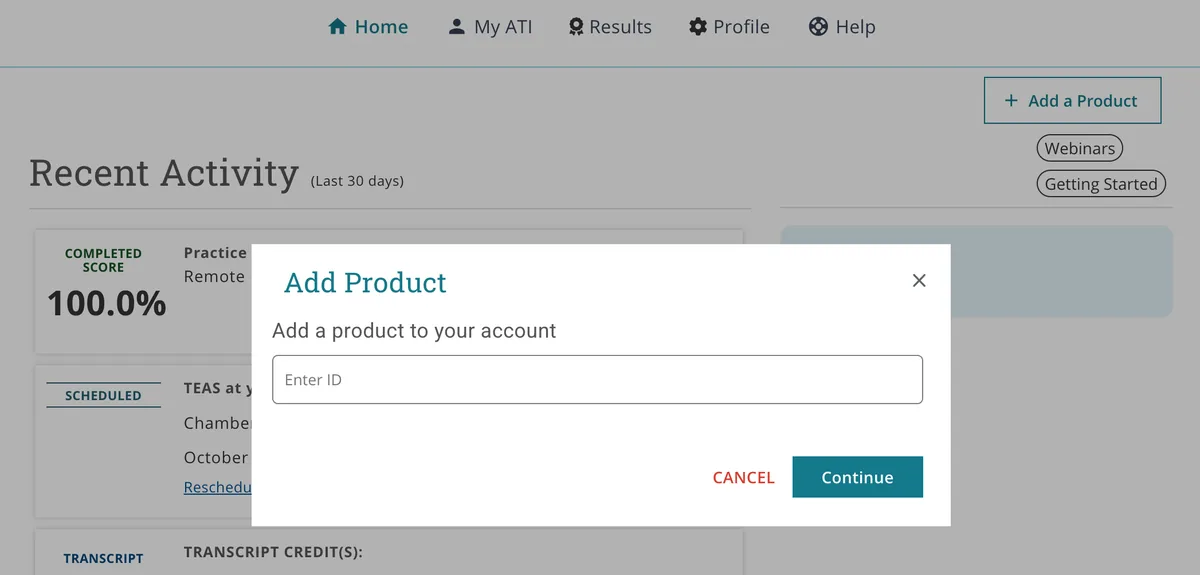
- On your home page, click Add a Product in the upper right corner.
- Enter the Assessment ID from your ATI email and click Continue.
- Go to MY ATI › Assessments. Your ATI TEAS® Proctored Assessment card now appears there; on exam day, click Start Test from this card.
Add a Product button on your home page
Add Product window
Frequently asked questions
I never received an Assessment ID email. You only need it if your exam card is missing. If it is, check your spam or junk folder for a message from ATI. If it is not there, email the ATI TEAS proctor team at [email protected]. On exam day, call 1-844-956-2790 (this line is available only during exam hours and only for TEAS at ATI exams).
The ID says it is invalid. Make sure you are signed in to the same ATI account you used to register, and that the first and last name on the account match your registration. Then re-enter the ID with no extra spaces. If it still fails, contact the proctor team above.
My exam is proctored by my school, not ATI. Your school or testing center provides that ID. See How to manually enter the ATI TEAS Assessment/Product ID.
Where is the Dry Run? If the TEAS Remote Proctoring Dry Run is not on your Assessments tab, first open Profile › Institution and make sure the school listed is the one you are taking the TEAS for and sending your transcript to. Your institution determines which proctoring system, and therefore which dry run, your account receives. If the card is still missing, add it with ID 18904477 and password respondus. See the TEAS at ATI Dry Run Guide.
Ready for exam day? Read the TEAS at ATI Quickstart Guide.