
After a proctored ATI TEAS® exam, your results include a personalized Focused Review. It pulls the topics you missed on the exam into a table of contents, organized by content area, and links each topic to study content on that subject. Your score report lists the same topics under Topics to Review. It is the fastest way to plan your studying, especially before a second attempt.
How to open your Focused Review
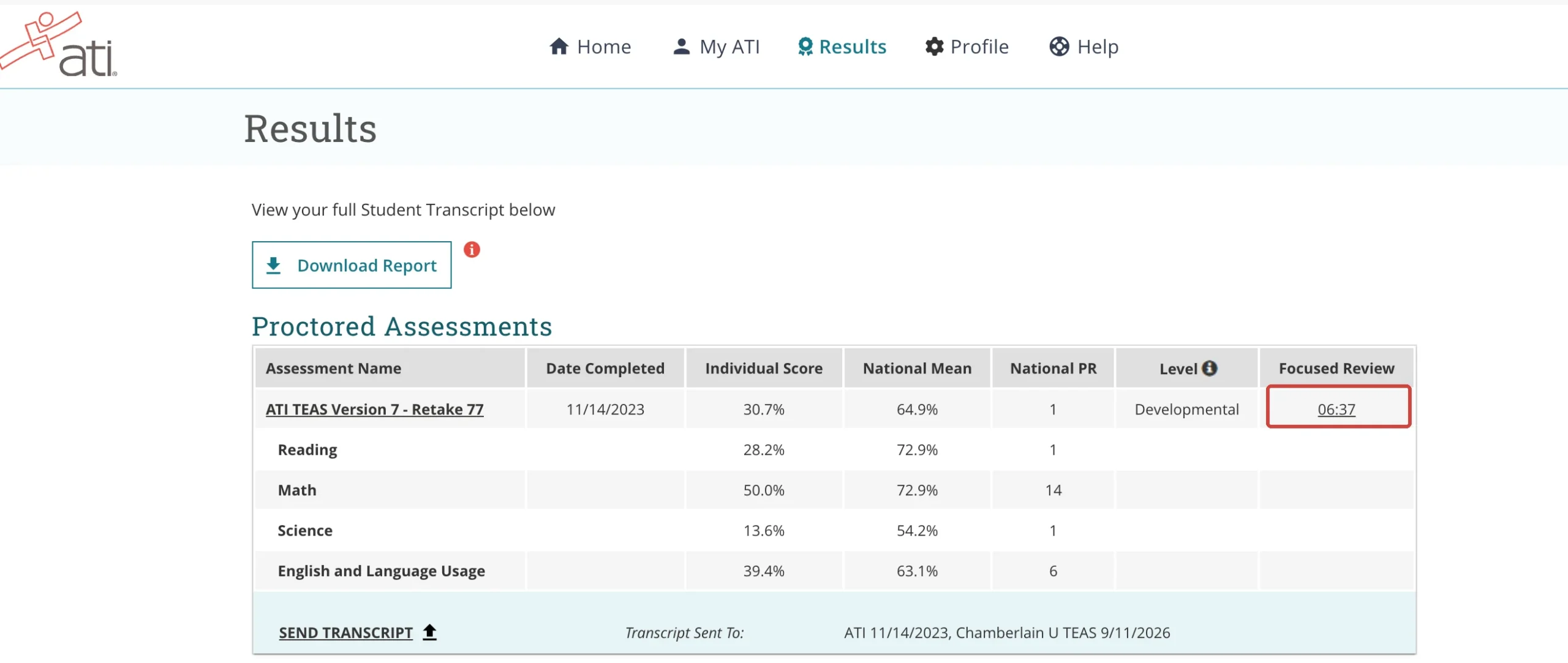
- Sign in to your ATI student account and click the Results tab.
- Under Proctored Assessments, find your TEAS exam and click the link in the Focused Review column on the right. (It shows the time you have spent in your review so far, which instructors can also see.)
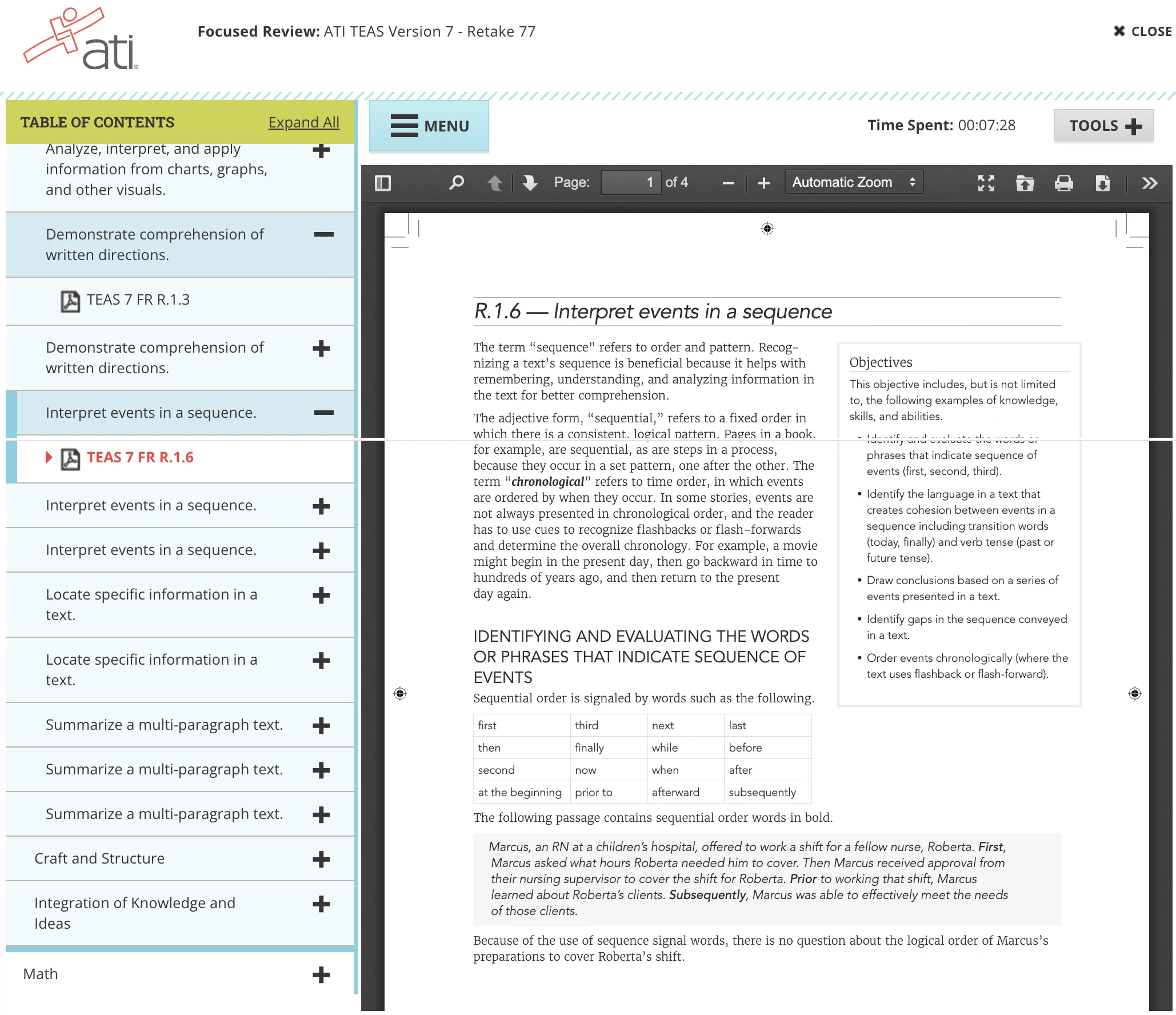
- Your Focused Review opens. Use the Table of Contents on the left to expand a content area and open the material for each topic you missed.
Results tab: click the link in the Focused Review column
Your Focused Review: expand a content area to open each missed topic
Topics to Review in your score report
The same topics are printed in your downloadable score report. On the Results tab, click Download Report; the Topics to Review section follows your scores by content area. How do I get my TEAS score report and topics to review?
Frequently asked questions
Do the ATI TEAS Online Practice Tests include a Focused Review? Yes. Practice Tests A and B each produce a score report with their own topics-to-review list, and the Practice Assessments table on the Results tab has its own Focused Review column. How to use the Online Practice Tests
I am retaking the TEAS. Where do I start? Start with your Focused Review, then follow How to improve your TEAS score on a second attempt.
I don’t see my exam on the Results tab. Make sure you are signed in to the account you tested with. TEAS at ATI scores post as Preliminary first and become final within about 4 business days; TEAS at PSI scores can take up to 48 hours to post. What does Preliminary mean?